 BizPilot
 Need help deciding what to say?
BizPilot begins with a saved business brief and coordinates six specialist agents around it.
A practical, source-linked comparison
Three capable tools. Three different ways to keep marketing moving.
The right choice is not the product with the longest checklist. It is the workflow that solves the work you repeatedly avoid, delay or rebuild from scratch.
Written by UttamX Automation, the maker of BizPilot AI. Competitor information checked against official pages on 27 September 2026.
Choose by the work
BizPilot begins with a saved business brief and coordinates six specialist agents around it.
Buffer is a strong candidate when your main need is a flexible multi-network queue, calendar and publishing layer.
SocialBee is a strong candidate when content categories, variations and broader profile allowances shape your workflow.
The short version
When you want the system to understand your business, prepare a weekly social plan, coordinate artwork and add related SEO, review, strategy and competitor workflows.
Explore BizPilot AutopilotWhen you already know what to publish and want a clean queue, calendar, analytics and publishing support across a broad channel set.
Read Buffer's official featuresWhen content categories, post variations, recycling, profile allowances and collaboration are central to how you manage social media.
Read SocialBee's official featuresSide by side
| What matters | BizPilot AI | Buffer | SocialBee |
|---|---|---|---|
| Starting point | A category-specific business profile, brand voice, offers, website context and approved photos. | Your ideas, drafts and finished content organized for publishing. | Your strategy, content categories, sources and generated or imported posts. |
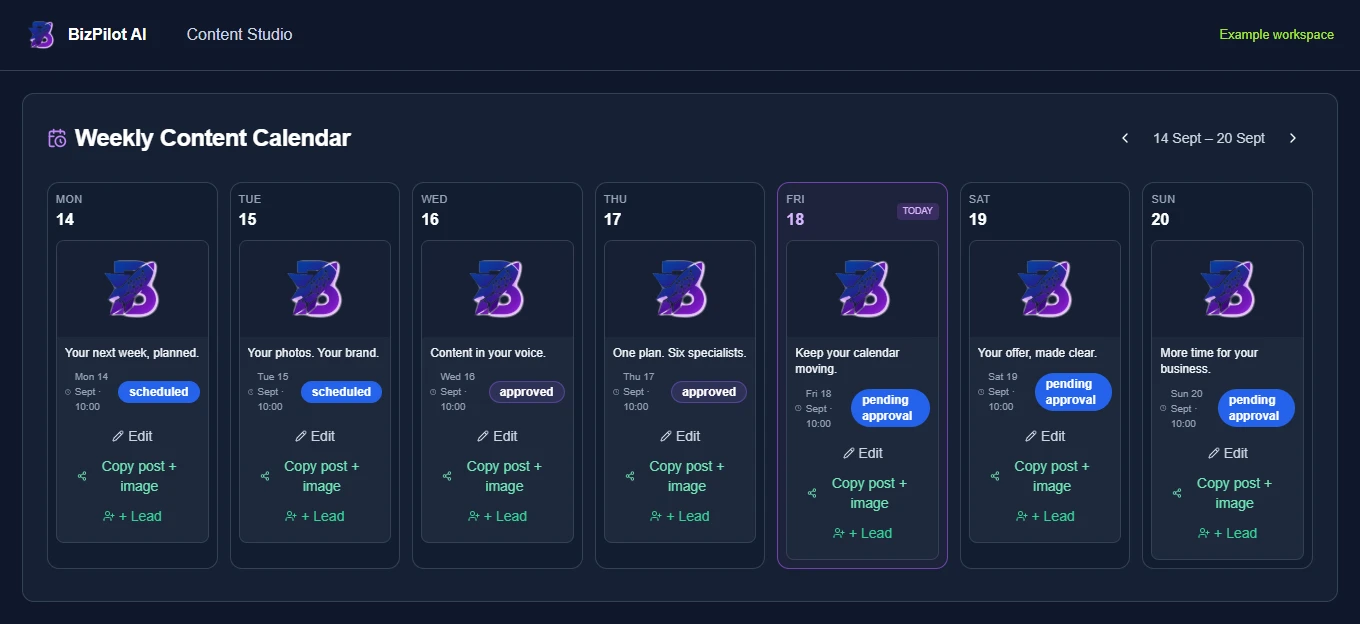
| Planning model | Prepares the following Monday-to-Sunday plan every Friday, within the customer's plan limits. | Queue, visual calendar and customizable posting schedules. | Flexible schedules, categories, variations, recycling and expiration controls. |
| AI approach | Six agents share saved business context across social content, SEO, reviews, competitor insights, strategy and ad concepts. | AI Assistant creates, refines and repurposes content. | AI Copilot can generate a strategy and posts; AI tools also generate captions and images. |
| Owner control | Posts wait for review; owners can edit or reject. Google review replies publish only after explicit owner approval. | Drafting and approval options vary by plan, including team approval workflows. | Post approval is listed on eligible plans; exact users and workspaces vary by tier. |
| Google workflow | Growth and Pro prepare Google review reply drafts. Growth publishes one GBP SEO update weekly; Pro publishes one every three days. | Google Business Profile is listed as a supported publishing and community channel. | Google Business Profile locations are listed among supported direct-posting networks. |
| Language workflow | Choose from 47 post languages and optionally alternate weekly posts between a primary and secondary language. | AI and publishing tools are available; test the exact language workflow you need. | AI and publishing tools are available; test the exact language workflow you need. |
| Channel breadth | Core automatic social publishing supports Facebook Pages and eligible Instagram professional accounts. Connected YouTube channels support publishing and scheduling real uploaded videos. GBP and WhatsApp have separate supported actions. | Official pages list Facebook, Instagram, LinkedIn, TikTok, YouTube, X, Threads, Pinterest, GBP and additional channels. | Official pages list direct posting to Facebook, Instagram, Threads, LinkedIn, X, Pinterest, TikTok, YouTube, GBP and Bluesky. |
| Pricing model | Starter ₹499, Growth ₹999, Pro ₹1,999 monthly. Daily allowances and manual credits apply. | Free tier, then paid pricing by connected channel and billing interval. | Tiered plans with different profile, user, workspace and feature allowances. |
| Trial | One month, no card required, with 25 manual AI credits. | Free plan plus a 14-day paid-plan trial. | 14-day Pro trial advertised with no card required. |
Official sources checked: Buffer publishing, Buffer pricing, SocialBee features, SocialBee pricing. Features, prices and limits can change.
The BizPilot difference
Many owners do not arrive with thirty finished posts waiting to be scheduled. The difficult part is deciding what to say, keeping it true to the business, preparing suitable artwork and repeating that process next week.
What the subscription includes
Be honest about the trade-off
If broad multi-network publishing, a developer API, deep team collaboration or a large multi-brand operation is essential, Buffer or SocialBee may fit better today. Verify the exact network, media format, analytics window and approval permissions you need.
BizPilot is focused on business-aware marketing automation for owners who want help creating the work, not only storing finished posts in a queue. It does not claim to replace every Buffer or SocialBee feature.
Test the workflow, not the promise
Your business is the test
One month free. No card required. See whether a business-aware weekly workflow gives you more useful time back.
Start my free month See plans and allowances